The Best Private AI Meeting Notetakers for Mac in 2026
Search for a “private” AI notetaker and you’ll get a dozen products all claiming the word. It’s become almost meaningless, because it’s used for three very different architectures: tools that don’t send a bot into your meeting, tools that don’t train on your data, and tools that don’t send your audio anywhere at all. Those are not the same promise, and the gap between the first and the third is where most people get surprised.
So this roundup is sorted by architecture rather than by rank. Figure out which tier you actually need, and the choice inside it gets easy.
First: the distinction that matters most
Bot-free means nothing shows up in the participant list. The app captures audio from your Mac directly instead of dialing into the call. That’s a real improvement — no awkward announcement, nothing for IT to block at the tenant level, works on calls you’re merely attending.
Local means the audio is processed on your machine and never transmitted.
Several well-regarded products are the first without being the second. Granola is the clearest example: it captures audio locally rather than joining as a bot, then streams that audio to third-party transcription services (Deepgram, AssemblyAI) and summarization models (OpenAI, Anthropic), storing transcripts in AWS. Its privacy policy is unusually candid about this, and it deletes the recording after transcription — but the audio does leave your Mac.
If your reason for wanting privacy is social (bots are awkward), tier one solves it. If your reason is that a recording of the conversation shouldn’t travel to companies you didn’t pick — regulated work, client confidentiality, an employer policy — only tier two does. We went through the full data path of cloud notetakers, and the clauses worth reading before trusting one, in what actually happens to your data with cloud AI notetakers.
Tier 1: Bot-free, cloud-processed
Granola — $14/user/month, free tier available
The most polished product in this category, and the one that popularized “no bot in the meeting.” Its actual design idea is smarter than transcription: you type sparse notes during the call, and Granola merges them with the transcript afterward, so the output reflects what you thought was important rather than an undifferentiated summary of everything said. Mac-native, fast, genuinely pleasant.
Best for: people whose problem is bot awkwardness and manual note-taking, not data residency. Watch for: the audio path described above, and first-party model training that’s on by default outside Enterprise plans (opt-out in settings). Full breakdown: Life Manager Pro vs Granola.
Fathom — free tier, paid from ~$19/month
The most generous free tier in the category: unlimited recording and transcription with basic AI summaries, indefinitely. Strong CRM integrations and a sales-team orientation. Bot-free capture is in beta on Mac, though the audio still goes to the cloud either way — so tier-one privacy at most. If budget is the binding constraint and your meetings aren’t sensitive, the free plan is hard to argue with. Full breakdown: Life Manager Pro vs Fathom.
Tier 2: Fully local, nothing leaves the Mac
This tier barely existed two years ago. Whisper and Parakeet running on Apple Silicon are now accurate and fast enough for meeting audio, which means the privacy/quality trade-off that used to justify uploading everything mostly evaporated.
Meetily — open source, free; Pro from ~$10/user/month
The reference implementation of a fully local notetaker. MIT-licensed, Rust-based, transcribes on-device with Whisper or Parakeet, summarizes with Ollama, includes speaker diarization, and joins no meeting as a bot. Nothing is uploaded anywhere.
Best for: technically comfortable users who want auditable code and zero cost. Watch for: setup involves models, dependencies, and occasionally reading a GitHub issue. It’s real software, not a weekend toy — but it asks more of you than a signed installer does.
Hyprnote — open source, local-first
Closer to an AI-enhanced notepad than a recorder: it listens while you write, then merges your notes with the transcript into something cleaner. Runs offline with open-source models. If Granola’s interaction model is what appeals to you but its cloud path is what doesn’t, this is the closest local analogue.
MacWhisper — one-time purchase
Not a meeting tool, strictly speaking — it’s an excellent local transcription app with speaker diarization. Feed it a recording, get an accurate transcript, all on-device. No meeting detection, no summaries wired into a workflow.
Best for: transcribing audio you already have. Watch for: you’re supplying the meeting-capture step and the “what do I do with this now” step yourself.
Life Manager Pro — $49 once
This is our app, so read this section with appropriate suspicion — but the specifics are checkable.
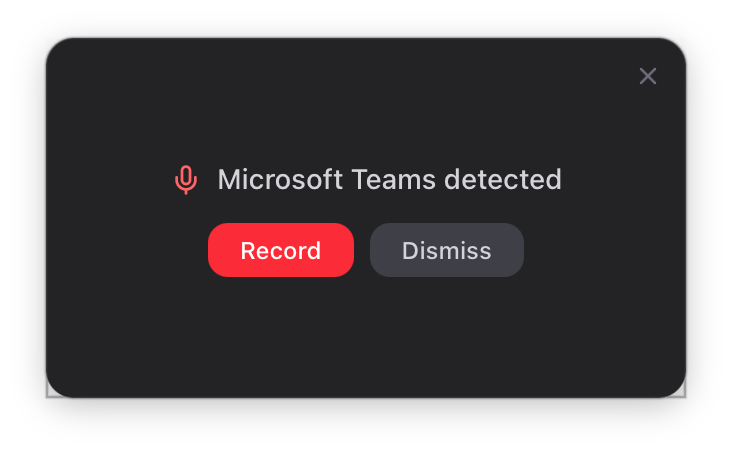
It detects Zoom, Microsoft Teams, Webex, and Slack huddles automatically, offers a floating prompt to record, captures your mic and system audio as separate streams without any virtual audio device, and transcribes on-device with local Whisper. If the meeting is on your calendar, the title is filled in for you. Browser-based meetings like Google Meet aren’t auto-detected — a call in a Chrome tab looks like Chrome — so you start those from the menu bar.
The honest asterisk, since this post is about vendors being vague: transcription is fully local and audio never leaves the Mac, full stop. The optional analysis step that produces a summary, decisions, and action items can call Anthropic or OpenAI using your own API key, sending transcript text only, never audio — a direct relationship between you and a provider you chose. Turn it off and everything stays on the machine. We’re not going to write “100% local” and quietly mean “except the part that isn’t.”
Watch for: Mac only, single-user, no mobile app, no team sharing. If you need a shared team archive, this is the wrong tool and Fireflies or Fathom is the right one.
Tier 3: Cloud bot services
Otter.ai — from ~$8.33/user/month annual, free tier
The most widely used, the best real-time collaborative transcription, and the most scrutinized. Its bot joins as a participant, audio goes to Otter’s servers, and first-party model training on de-identified data is opt-out rather than opt-in. A consolidated federal class action filed in December 2025 alleges recording without all-participant consent; Otter denies interception occurred and, as of July 2026, the motion to dismiss is undecided. Included here because it genuinely is the strongest product in its tier — but if privacy is the reason you’re reading this list, this is not your tier. Full breakdown: Life Manager Pro vs Otter.ai.
Fireflies.ai — from ~$10–18/user/month
Deep CRM and workflow integrations, strong team features, huge integration surface. Recordings and transcripts are retained until you delete them manually. Excellent choice for a sales org that wants a searchable archive of every customer call; a poor fit for confidential internal conversations. Full breakdown: Life Manager Pro vs Fireflies.ai.
Local transcription, and then the notes actually go somewhere
Life Manager Pro records your Mac meetings without a bot, transcribes on-device with Whisper, and turns the action items into real tasks alongside your projects, CRM, and goals. $49 once, no subscription. 14-day free trial, no credit card.
Try Life Manager Pro freeThe thing almost none of them do
Every tool above hands you a transcript and a summary. Then the transcript sits in a list of transcripts, and you go type the follow-ups into your actual task manager — or, more honestly, you don’t, and the commitment you made in the meeting quietly evaporates.
That handoff is the real failure point, and it’s the reason we built meeting capture inside a life-management app rather than as a standalone recorder. Extracted action items become real tasks in the same system as your projects and goals, with owners attached, optionally created automatically as soon as analysis finishes. Participants can be connected to CRM contacts. The meeting stops being an artifact you archive and becomes an input to the system you already work out of.
Meetily and Hyprnote match the local-privacy story closely, and Meetily beats us on price at zero. What they don’t have — by design, since they’re focused notetakers — is anywhere for the output to go.
Picking one
Just want bots out of your meetings, don’t mind cloud processing? Granola, or Fathom if the free tier covers you.
Audio genuinely can’t leave your machine, and you’re comfortable with setup? Meetily. Free, open source, auditable.
Audio can’t leave your machine, and you want it to just work? Hyprnote if you want a local notepad-style tool, Life Manager Pro if you want the meeting to feed a task/CRM/goals system.
Already have recordings that need transcribing? MacWhisper.
Need a shared team archive with CRM integrations and privacy isn’t the constraint? Fireflies or Otter, and use the paid tiers where training is contractually off.
Two closing notes that apply no matter which you choose. Prices and policies shift — everything here reflects publicly available information in July 2026, so verify before you commit, particularly the training defaults. And recording consent is your responsibility regardless of architecture: a local recorder is quieter than a bot, which makes the courtesy of saying “I’m taking notes with a transcription tool, say the word if you’d rather I didn’t” more important, not less. In all-party-consent states it’s not just courtesy.