Apple Notes vs Obsidian: Which Should You Use in 2026?
Apple Notes and Obsidian are both, at heart, places to write things down — but they get there from opposite directions. Apple Notes is free, built-in, and disappears into the background of your Apple devices. Obsidian is free too, but asks you to actively build a system out of plain text files and plugins. Neither is “better” in the abstract; they’re built for different relationships with your notes.
Cost and setup
Apple Notes is entirely free and already installed on every Mac, iPhone, and iPad — there’s no setup beyond signing into iCloud. Obsidian’s core app is also free, but two optional paid add-ons exist if you want them: Sync ($4/month) for Obsidian’s own end-to-end encrypted sync across devices, and Publish ($8/month) for turning a vault into a public website. Most people never need either — Obsidian’s free tier is genuinely usable on its own, you just handle sync yourself (iCloud Drive, Git, or a third-party tool).
Syncing across your devices
This is where the two apps diverge hardest. Apple Notes syncs automatically across iPhone, iPad, Apple Watch, and Mac via iCloud — it’s invisible, and it just works as long as you’re in Apple’s ecosystem. Obsidian has free mobile apps for iOS and Android, but getting your vault to actually sync between devices means paying for Obsidian Sync, or setting up your own solution (iCloud Drive, a Git repo, or a third-party sync tool) — it’s not automatic out of the box the way Apple Notes is.
Extensibility and how your notes connect
Obsidian’s real strength is here. Thousands of community plugins let you reshape it into a task manager, a calendar, a spaced-repetition system, nearly anything — and its native graph view lets you see how your notes link together, which is a genuinely different way of thinking about a note collection than folders and tags. Apple Notes has none of this; its structure is folders, tags, and pinned notes, full stop. What Apple Notes has instead is Apple Pencil handwriting markup and built-in document scanning — real, polished features Obsidian doesn’t attempt.
Meeting and call transcription — a real, recent overlap
As of iOS 18.1+ with Apple Intelligence enabled, Apple Notes can record and transcribe phone and FaceTime calls with an AI-generated summary (gated by language and region availability). Obsidian has no native equivalent — you’d need a community plugin or an external tool. It’s a narrower feature than a dedicated meeting-recording app (phone/FaceTime calls only, not arbitrary meetings), but it’s real and worth knowing about if that’s part of why you’re comparing these two.
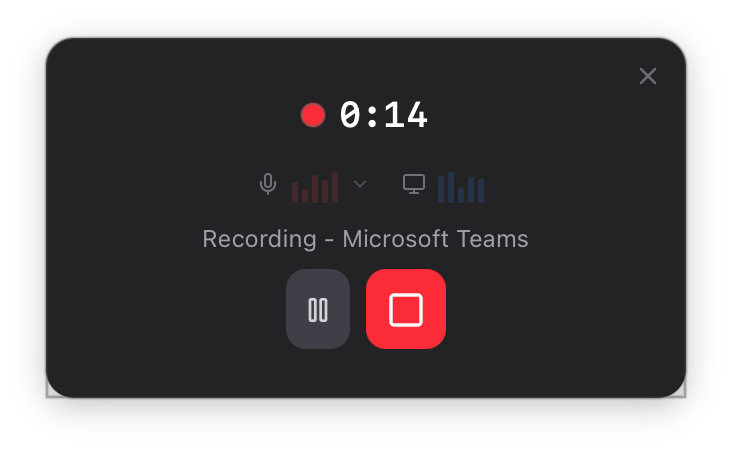
Life Manager Pro recording a meeting — works for any meeting, not just phone/FaceTime calls.
Collaboration and sharing
Apple Notes supports real-time shared notes with other people — genuinely useful for a shared grocery list or a note with a family member. Obsidian has no built-in sharing or collaboration; each vault is fundamentally personal, plugins notwithstanding.
Data format and portability
Obsidian notes are plain markdown files sitting in a folder on your disk — about as portable and future-proof as a note format gets, readable by any text editor decades from now regardless of what happens to Obsidian itself. Apple Notes’ data lives in Apple’s own format, synced through iCloud; you can export individual notes, but you’re more tied to the Apple ecosystem long-term.
Neither one manages tasks, a CRM, or goals
Both Apple Notes and Obsidian are genuinely good at notes — and genuinely not built for task/project management, a CRM, or goal tracking. If you've been trying to make either one do that job with checklists or plugins, Life Manager Pro is built to actually do it: tasks, CRM, goals, journal, and automatic meeting capture, native on Mac.
Try Life Manager Pro freeSo which one?
If you want your notes to disappear into the background and sync across your Apple devices without a second thought — and you don’t need to reshape the app into something else — Apple Notes already does that, for free. If you want to actively build a personal knowledge system, own your notes as plain text forever, and don’t mind assembling plugins for anything beyond writing, Obsidian is the better foundation. Plenty of people use both: Apple Notes for quick capture on the go, Obsidian for the deeper, structured writing.